Mosaic One Overview
Mosaic One is a set of easy-to-use, intelligent SaaS features purpose-built for marketing, customer success, and operations teams at traditional broadband operators and alternate service providers. Mosaic One Promote, Operate, and Care SaaS tools empower the marketing, operations, and customer success teams.
-
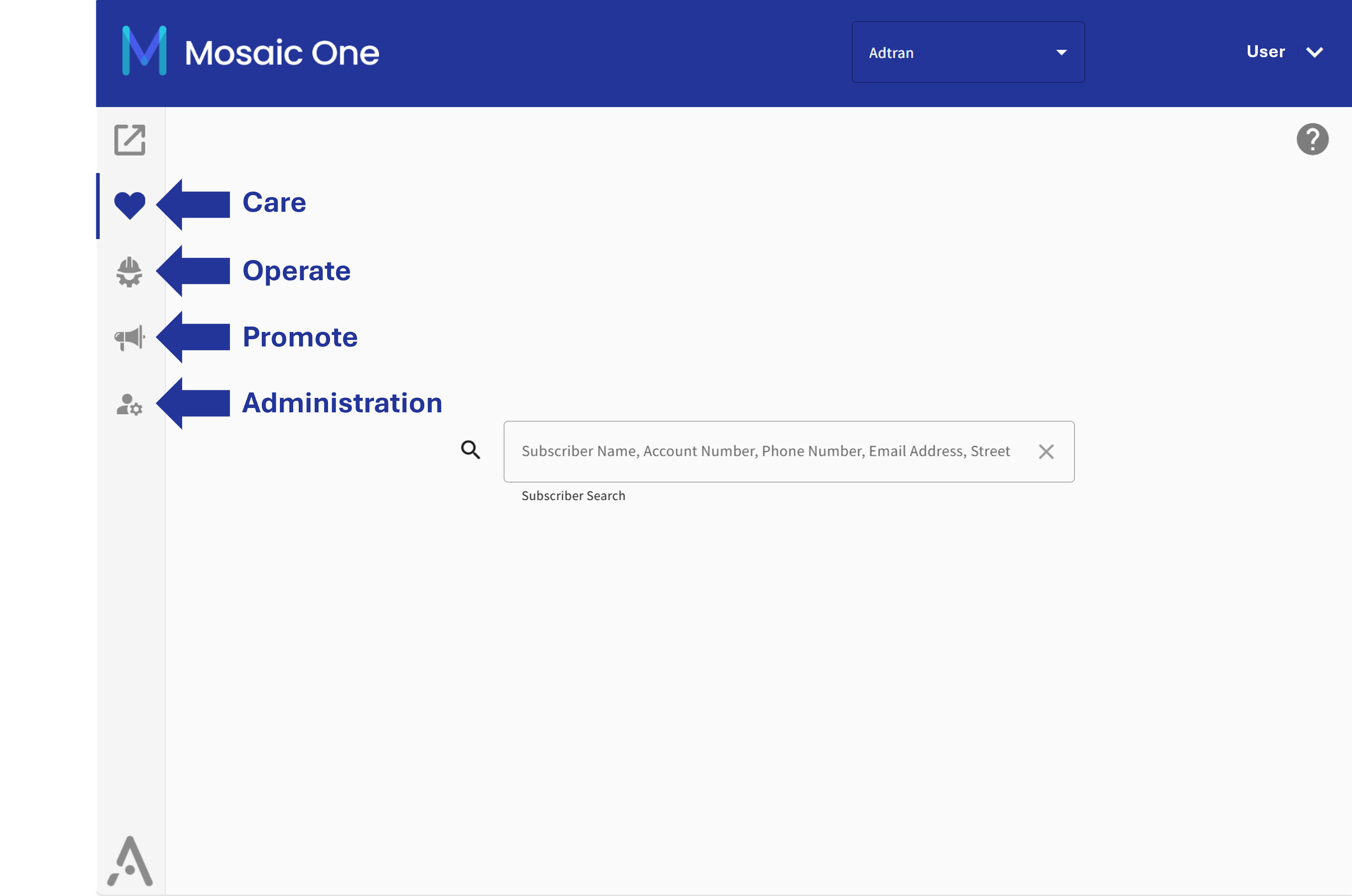
Mosaic One Care: End-to-end troubleshooting, so customer success teams can assess the access network, the subscribers’ network, and even study and manage the far end CPE device within minutes.
-
Mosaic One Operate: Enables operations teams to monitor the access and subscribers’ network for alarms and proactively correct them to minimize downtime.
-
Mosaic One Promote: Empowers marketers to deliver intelligent broadband by enabling them to leverage subscribers’ online user behavior and segment them as gamers, streamers, or surfers.
Menu Structure
Mosaic One aggregates information from multiple sources into an ever growing series of extremely useful detail views and dashboards for each type of system user described above (marketers, technicians and customer care staff). Once logged in to Mosaic One, the features associated with each of these personae are selectable from the left navigation bar.
Supported Applications
The Mosaic One system sources data from key, Adtran cloud applications (Device Manager, Network Insights, Subscriber Insights and Home Analytics) and Plume partner applications (Plume Frontline T1, Plume Frontline T2 & 3, Plume Panorama and Plume Signal) in order to create powerful, quick access views to make short work of finding answers and troubleshooting problems. Mosaic One bundles, unites and harnesses these applications in new and powerful ways. The following table lists the currently supported applications, the minimum version required and links to related documentation.
| Application | Minimum Version Required | Available Documentation |
|---|---|---|
| Mosaic Device Manager | 10.7.0.0 or later - Contact Adtran to schedule an upgrade | Online knowledge base |
| Mosaic Network Insights | Latest version - Updates are automatic. No action required | Online knowledge base |
| Mosaic Subscriber Insights | Latest version - Updates are automatic. No action required | Downloads from Adtran Support Community |
| Mosaic Home Analytics | Latest version - Updates are automatic. No action required | Online knowledge base |
| Plume Frontline T1 | Latest version - Updates are automatic. No action required | Plume Cloud Knowledge Base and Plume Academy |
| Plume Frontline T2 & T3 | Latest version - Updates are automatic. No action required | Plume Cloud Knowledge Base and Plume Academy |
| Plume Panorama | Latest version - Updates are automatic. No action required | Plume Cloud Knowledge Base and Plume Academy |
| Plume Signal | Latest version - Updates are automatic. No action required | Plume Cloud Knowledge Base and Plume Academy |
| Plume Workpass | Latest version - Updates are automatic. No action required | Plume Cloud Knowledge Base and Plume Academy |
| Plume Uprise | Latest version - Updates are automatic. No action required | Plume Cloud Knowledge Base and Plume Academy |
| Plume SSO Portal | Latest version - Updates are automatic. No action required | Plume Cloud Knowledge Base and Plume Academy |
The applications available in your instance may vary from the list above and are dependent upon your sales agreement, the specific applications to which your organization has subscribed and that the user is authorized to access.
When You Need a Closer Look
While a significant portion of everyday tasks can be achieved through the Mosaic One views, there will be occasions where a deeper look is required. To facilitate this, Mosaic One includes an application launcher page from which any of the individual applications listed in the table above can be opened. When invoked, the selected application opens in a new tab so that work can seamlessly continue. The exception to this is Network Insights. This application is instead accessed by selecting the Operate button from the left navigation bar.
There is an additional method to drill-down directly to subscriber related details (when available) in these constituent applications. See the instructions associated with the Services column located in the Subscriber Search results page described here.
Single Sign-On Support
With Mosaic One, there is no longer a need to manage separate username and password credentials for each of the individual supported applications (listed in the table above) for each of your staff. Because the Mosaic One platform is built on a sophisticated, single sign-on (SSO) foundation, you only need to log in once. Logging in to Mosaic One means you are automatically logged in to all of the secondary applications from which data for the Mosaic One views are derived. The SSO feature can be implemented using your existing single sign-on provider (if present), or Adtran can provide a directory service as part of the roll-out of your Mosaic One instance.