Add Total Access node
The Add Total Access node page offers an input form for adding Adtran Total Access platform devices to Mosaic One Operate inventory scanning list. Once added, the new node will be included in the next network scan and after successful scan the node will be visible on the Operate tree view along with any associated Insights.
Navigation
To access this view, from the top navigation bar click on the user profile dropdown and select the  button. The page will populate with an input form to provide relevant node information by the user.
Node addition input form
The Total Access node addition form contains of four mandatory input fields that uniquely identify a device in the network. These fields provide necessary information about the device required by network scanning operations to connect to it and start ingesting equipment's health and status data.
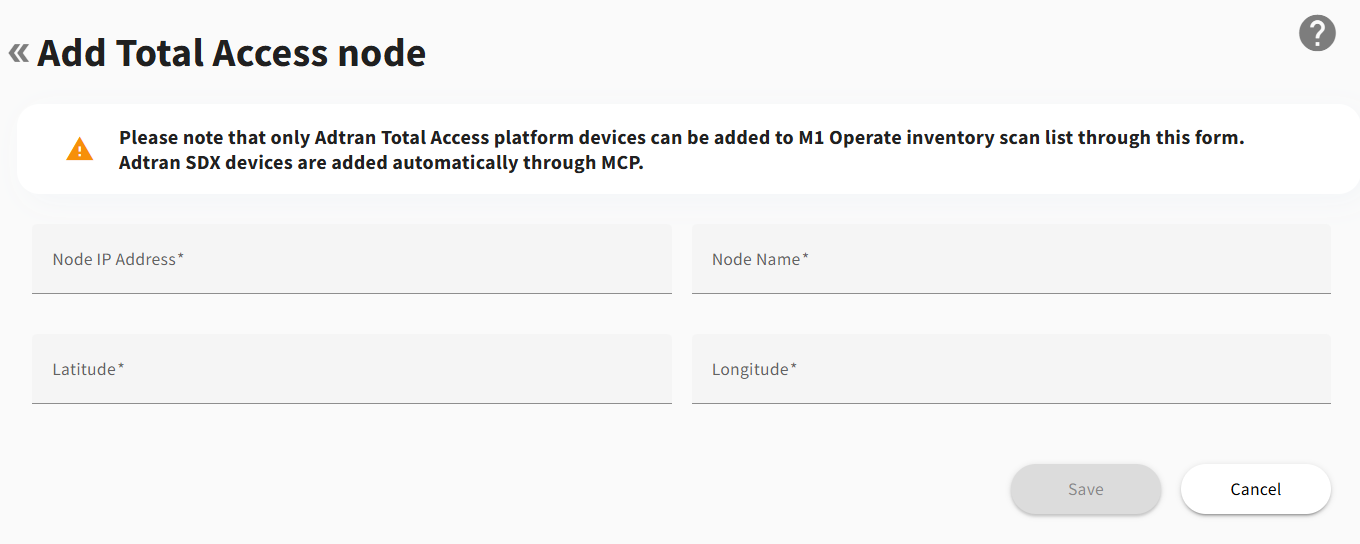
Node IP Address
Unique IP address of a network node in IPv4 dotted quad format.
Node Name
Custom text identifier of maximum 20 characters representing node name in Mosaic One Operate inventory.
Latitude
Number representing the geographical latitude of a node's physical location.
Longitude
Number representing the geographical longitude of node's physical location.
After filling all fields with valid information, a node can be added by clicking the  button.
Node addition confirmation
Once the node addition request is processed successfully a corresponding message will appear at the bottom of the view.

The node addition form prevents duplicate entries in the network inventory. If a node with an IP address already exists in the Operate scanning list, the form submission will display an appropriate notification and block the addition of a duplicte device.
At this time, Total Access inventory updates are available for addition operation only. For assistance editing or removing an existing TA node, please contact Adtran product support.
At this time, Total Access inventory updates are unavailable with multiple-collector configuration. For assistance adding, editing, or removing an existing TA node, please contact Adtran product support.