Care Subscriber Details
The Care Subscriber Details page offers a view of key subscriber-centric information. This includes billing system information, customer equipment status, and bandwidth usage. Also included are network insights associated with the specific hardware carrying service to the selected subscriber and subscriber experience data points. These and more are explained in detail in the following sections.
From the page, another search can be executed if needed. Select the Subscriber Search field then enter the search criteria followed by the Enter key or select the  icon to execute the search.
Available Subscriber Data
The Care Subscriber Details page consists of the following five areas:
-
Subscriber information (such as name, address, ID, etc.) for the selected subscriber (upper left)
-
Subscriber Experience displays a tabbed view in the upper middle of the page:
- Subscriber Experience Tab provides a summary view of the subscriber's service, including network topology, active issues, AI service summaries, the latest speed test results, and an action center for troubleshooting.
- Circuit Tab displays information regarding the access network, such as service type, site, ONU details, and light levels.
- Router Tab displays information regarding the subscriber's gateway device.
- Home Tab displays a list of all connected LAN devices.
-
Insights associated with the network hardware that directly services the selected subscriber (middle)
-
Charts and Graphs time series charts (bottom)
-
Application Links associated with the selected subscriber (bottom left)
The content of all five areas is described in detail in the following sections.
Subscriber Information
See Subscriber Information for details.
Subscriber Experience
The second area in the upper middle of the Care Subscriber Details page is a multipurpose display and is divided into four tabs for each section (Subscriber Experience, Circuit, Device, and Home). Selecting each tab will re-purpose the display to show information related to the tab label. These four tabs are described in detail below.
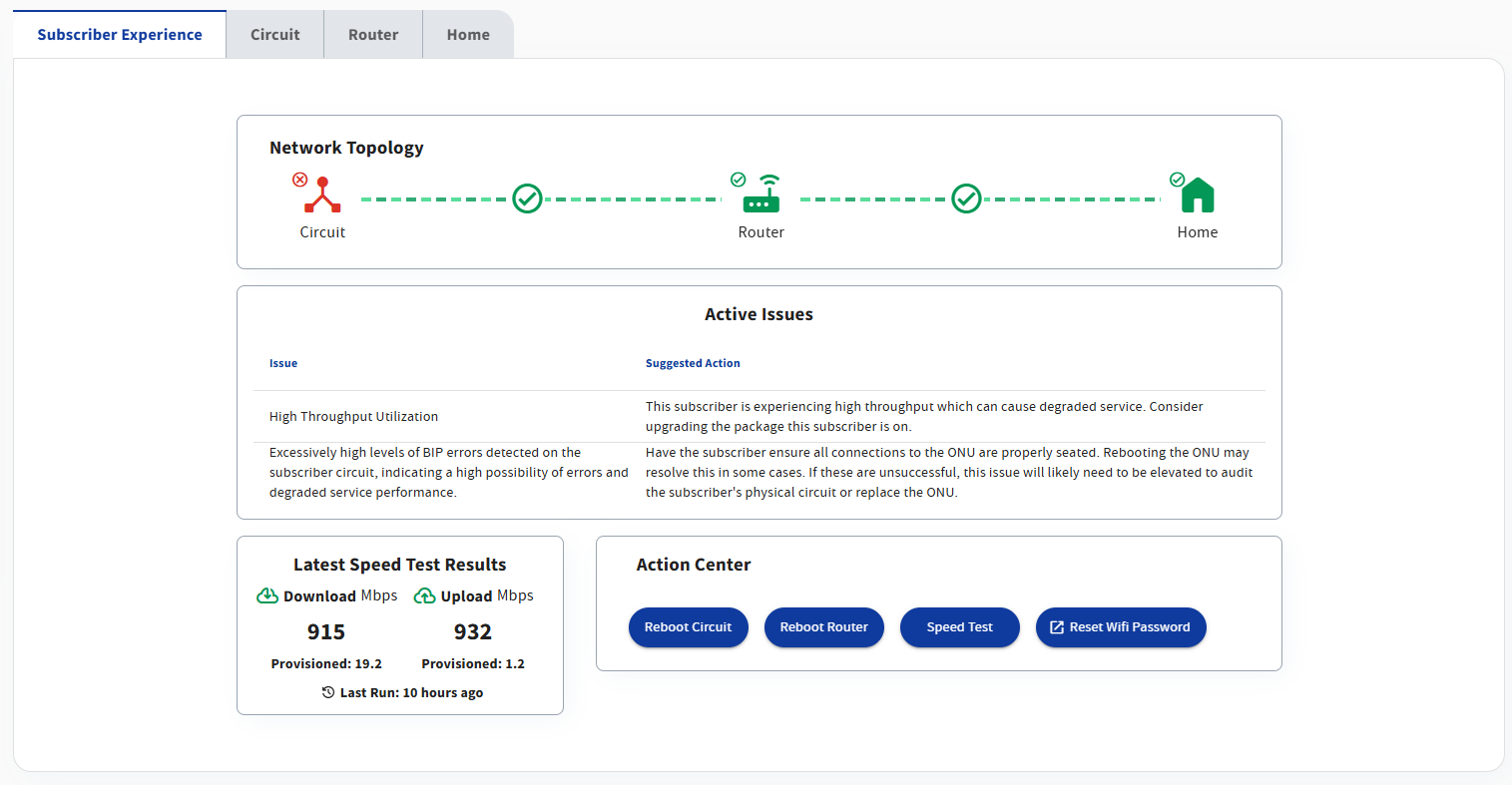
Subscriber Experience Tab
See Subscriber Experience Tab for details.
Circuit Tab
See Circuit Tab for details.
Router Tab
See Router Tab for details.
Home Tab
See Home Tab for details.
Insights Table
See Insights Table for details.
Charts and Graphs
See Charts and Graphs for details.
Application Links
See Application Links for details.