Home Tab
Select the Home tab to display a list of all connected LAN devices. The following details are displayed for each LAN device:
note
Most of the home information requires that the subscriber exists in an in-home management software such as Intellifi, Plume, or Device Manager.
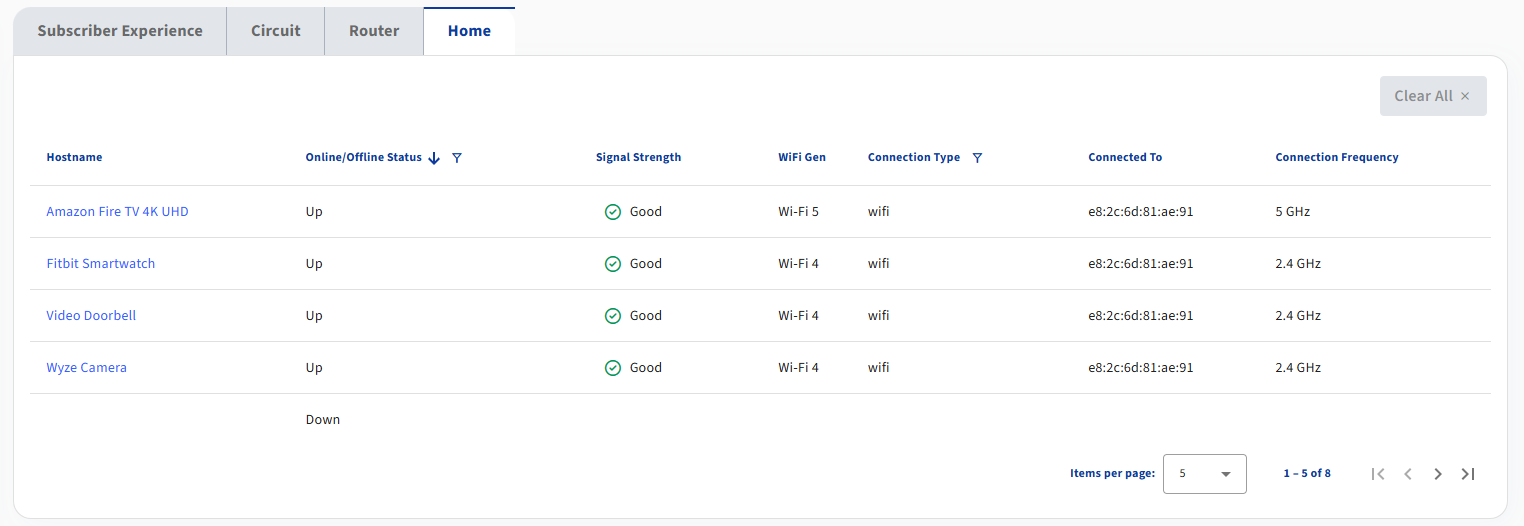
| Field Name | Description |
|---|---|
| Hostname | The name by which this LAN device is known across the network. |
| Nickname | User friendly name of the device. This field is only present for Plume managed services. |
| Online/Offline Status | Indicates whether or not the LAN device is actively communicating with the subscriber's gateway. Potenial values include Up or Down. |
| Signal Strength | Displays the WiFi Received Signal Strength Indicator (RSSI) value. This value is measured in dBm. This field is color coded to indicate quality of signal. |
| Health Status | The summarized health of the LAN device. This field is only present for Plume managed services. |
| WiFi Gen | The WiFi generation of the LAN device. This field is color coded to denote older generation wifi hosts which may result in reduced speeds. |
| Connection Type | Denotes wired vs. wireless LAN devices. |
| Connected To | The serial number or MAC address of the Mesh Node this device is connected to, if available. |
| Connection Frequency | Denotes the connection frequency of the LAN device, usually 2.4GHz or 5GHz. This field is only present for Intellifi managed services. |